
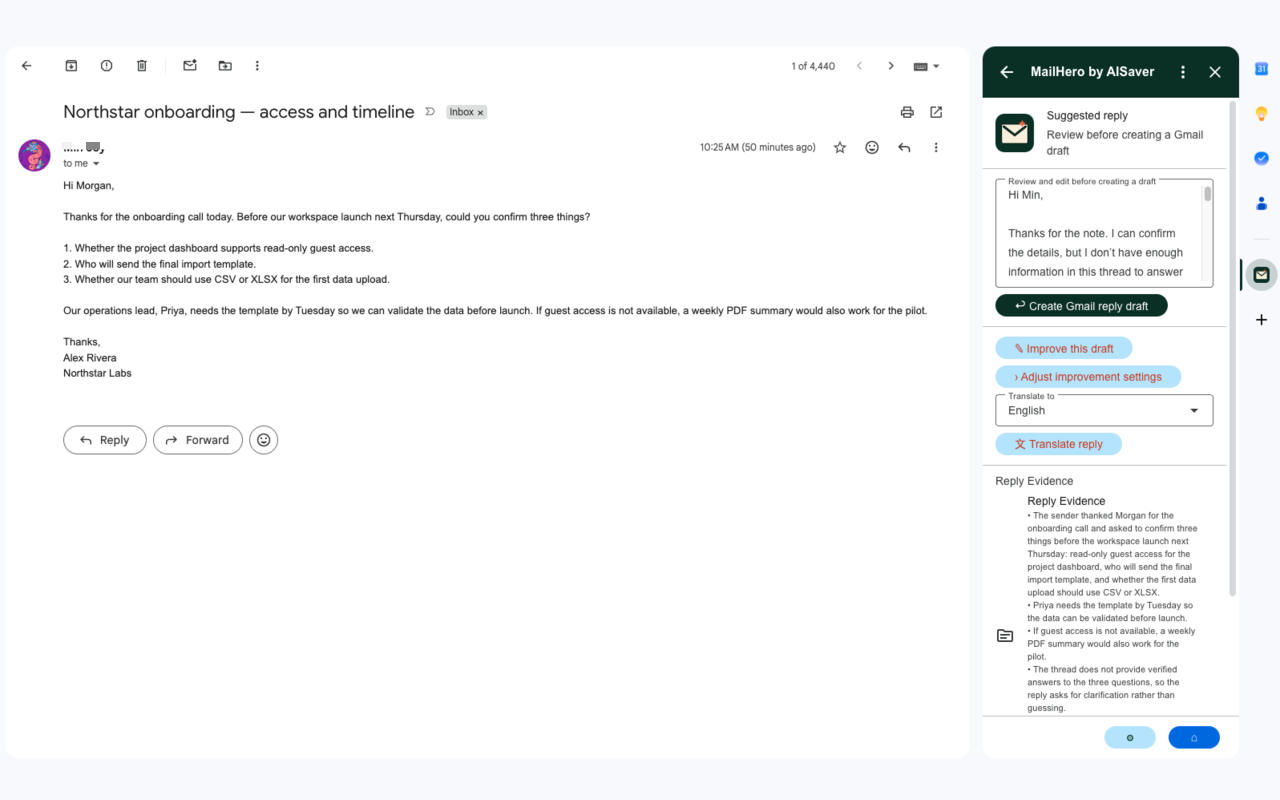
MailHero’s reply workflow now covers the full loop from context to a reviewable Gmail draft. The assistant can help with the first version, but the final message remains yours.
A reply workspace, not a one-click send button
- Generate from the whole conversation or only the latest message.
- Edit the proposed reply in place.
- Improve the draft after changing the instructions or style.
- Translate the edited reply into the recipient’s language.
- Create a Gmail draft for your final review.
Small changes, clearer boundaries
The interface now keeps reply evidence and context choices close to the draft. You can see what the assistant used, change the settings, and regenerate without losing the rest of the workflow.
More product notes soon
We will use this space for practical release notes, workflow examples, and short guides based on real MailHero screens. If a feature would make your email work easier to explain, send us a note.